SnapDays Pro
Take your screenshot
workflow one level deeper.
List view, multi-selection, batch operations, and text recognition actions. Buy once. No subscription.
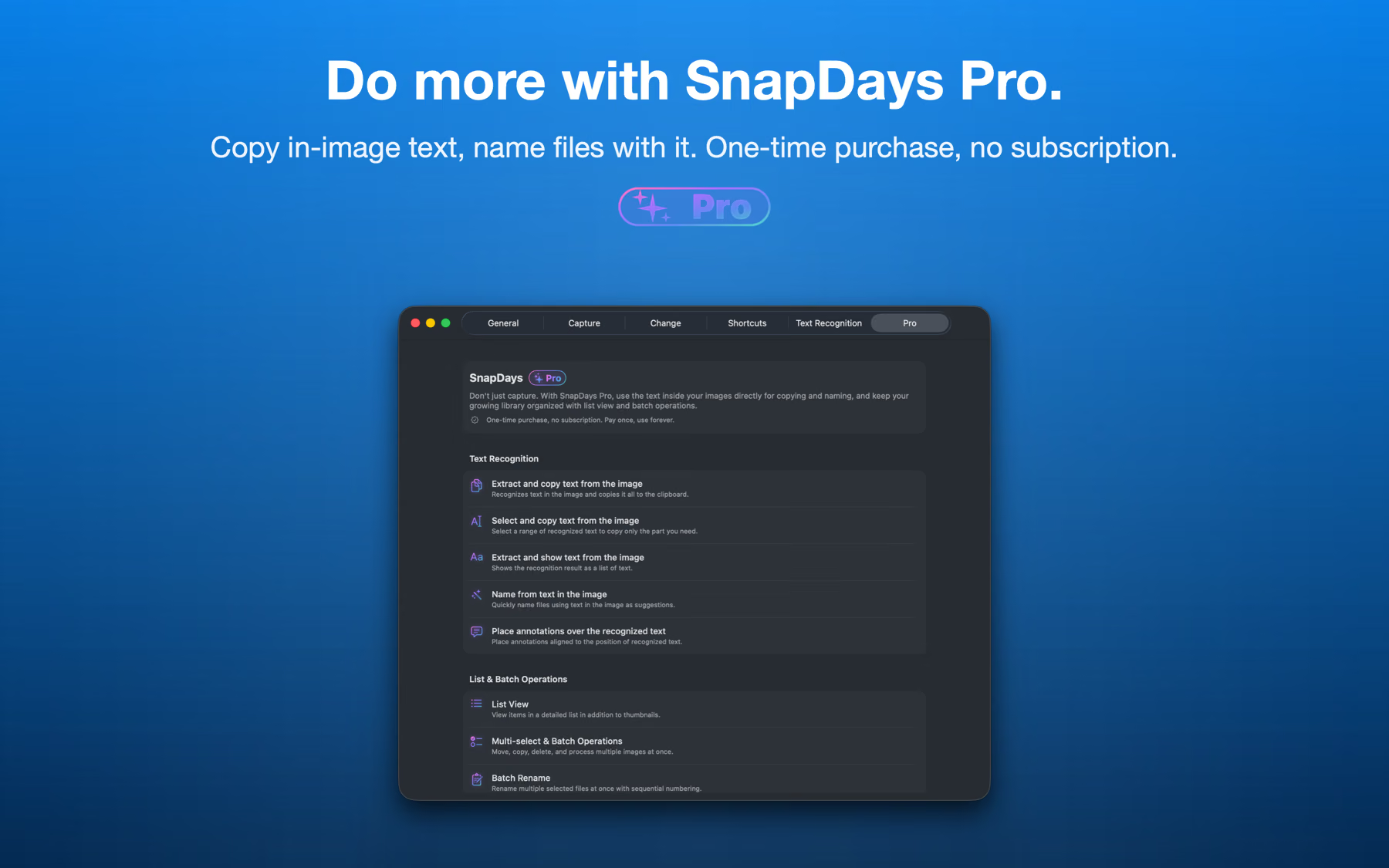
List view, multi-selection, batch operations, and text recognition actions. Buy once. No subscription.
Overview
Switch the gallery to a detailed list view with file names, capture dates, and sizes. Sort and scan hundreds of captures at a glance — the fastest way to find that one screenshot from last week.
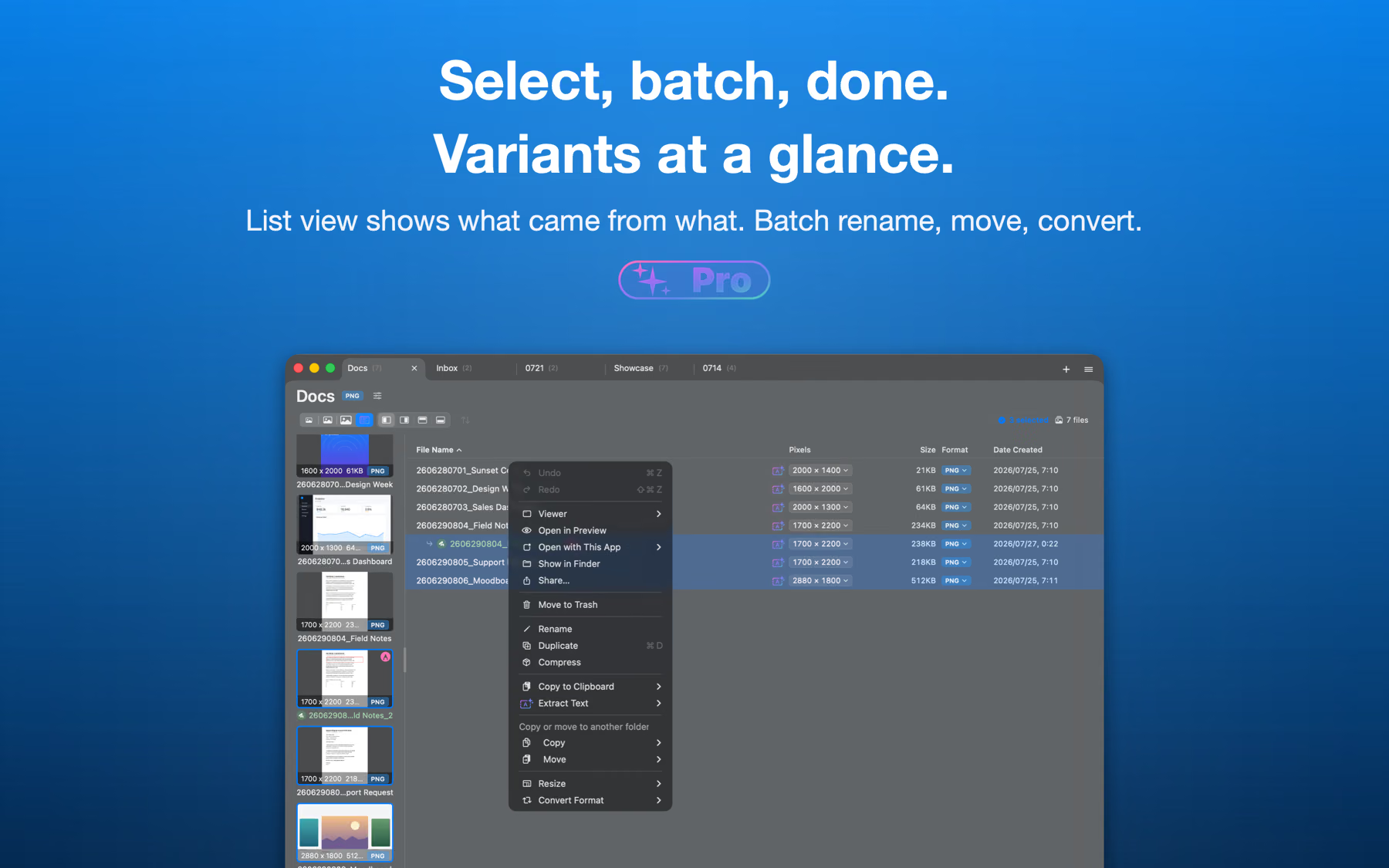
Batch operations
Select multiple captures with click, Shift, and Cmd — then move, copy, convert, or delete them all at once. Organizing a week of screenshots takes seconds, not minutes.
Organize
Rename selected files in one go with numbered patterns. SnapDays suggests names from your past patterns, dates, and even the text inside your screenshots — so meaningful names are one click away.
Text recognition
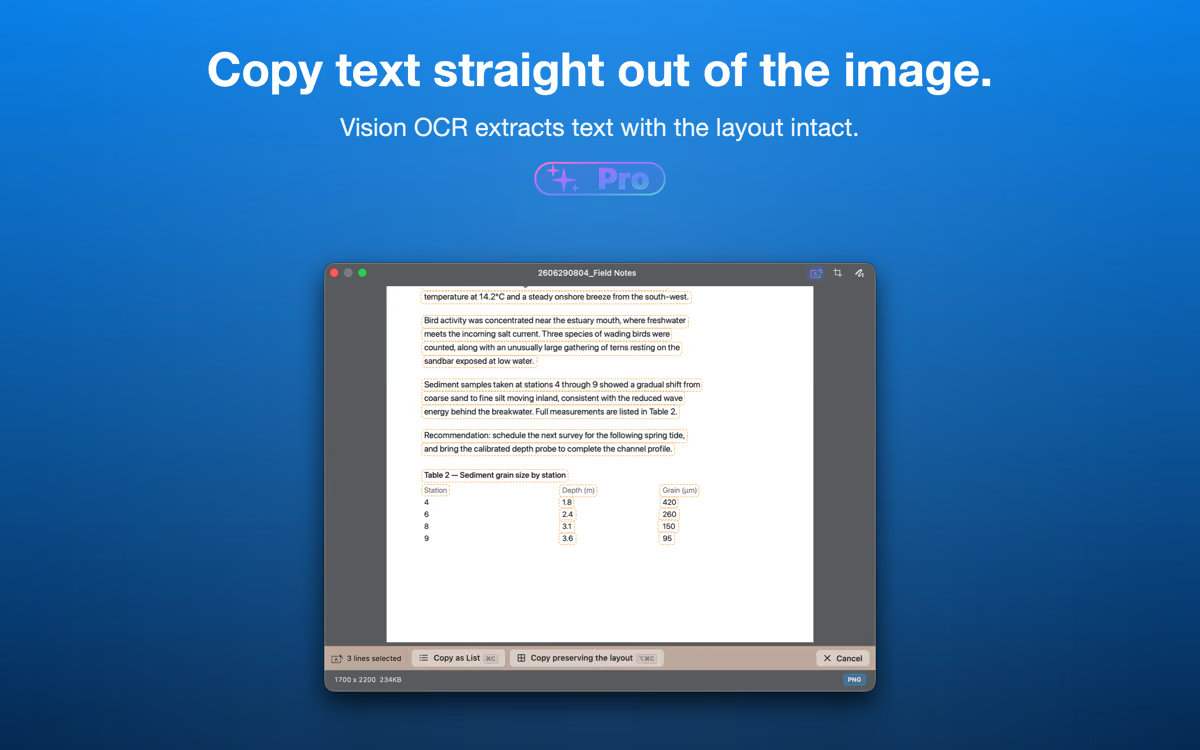
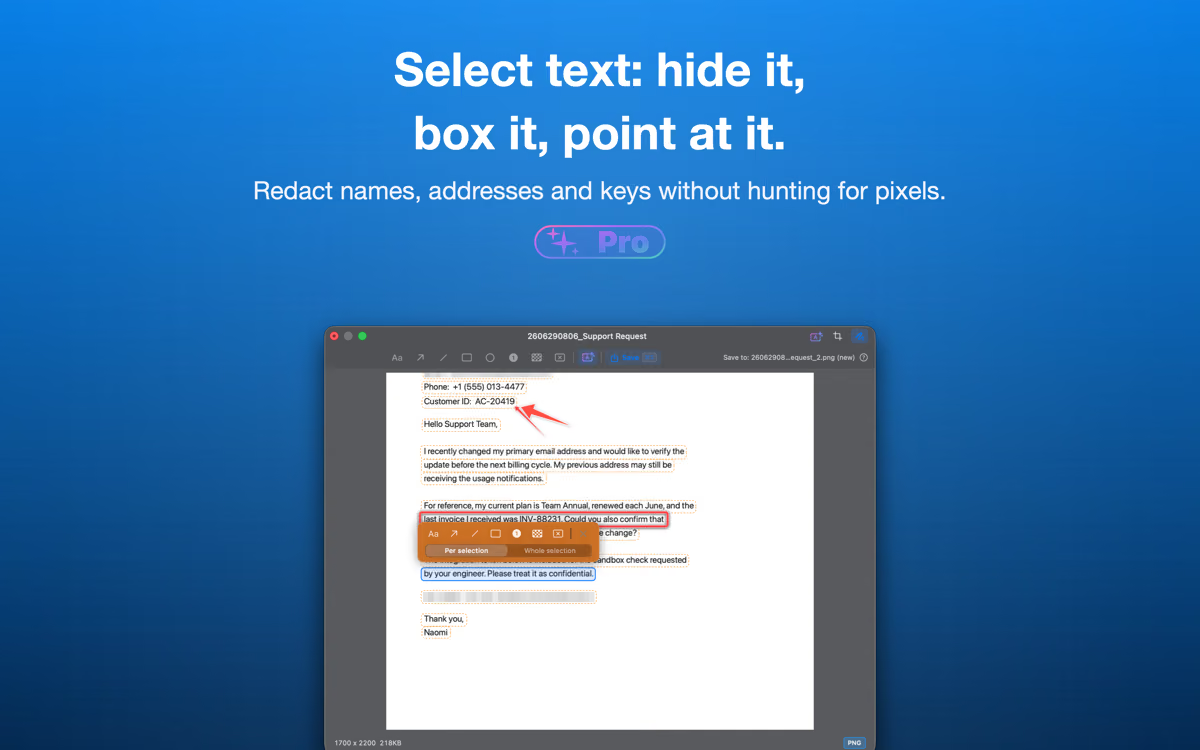
Extract and copy text from any capture — the whole image or just the lines you select. Name files from their content, or place annotations that snap to recognized text. Powered by Apple's Vision framework — 100% on-device, nothing leaves your Mac.
AI assistants
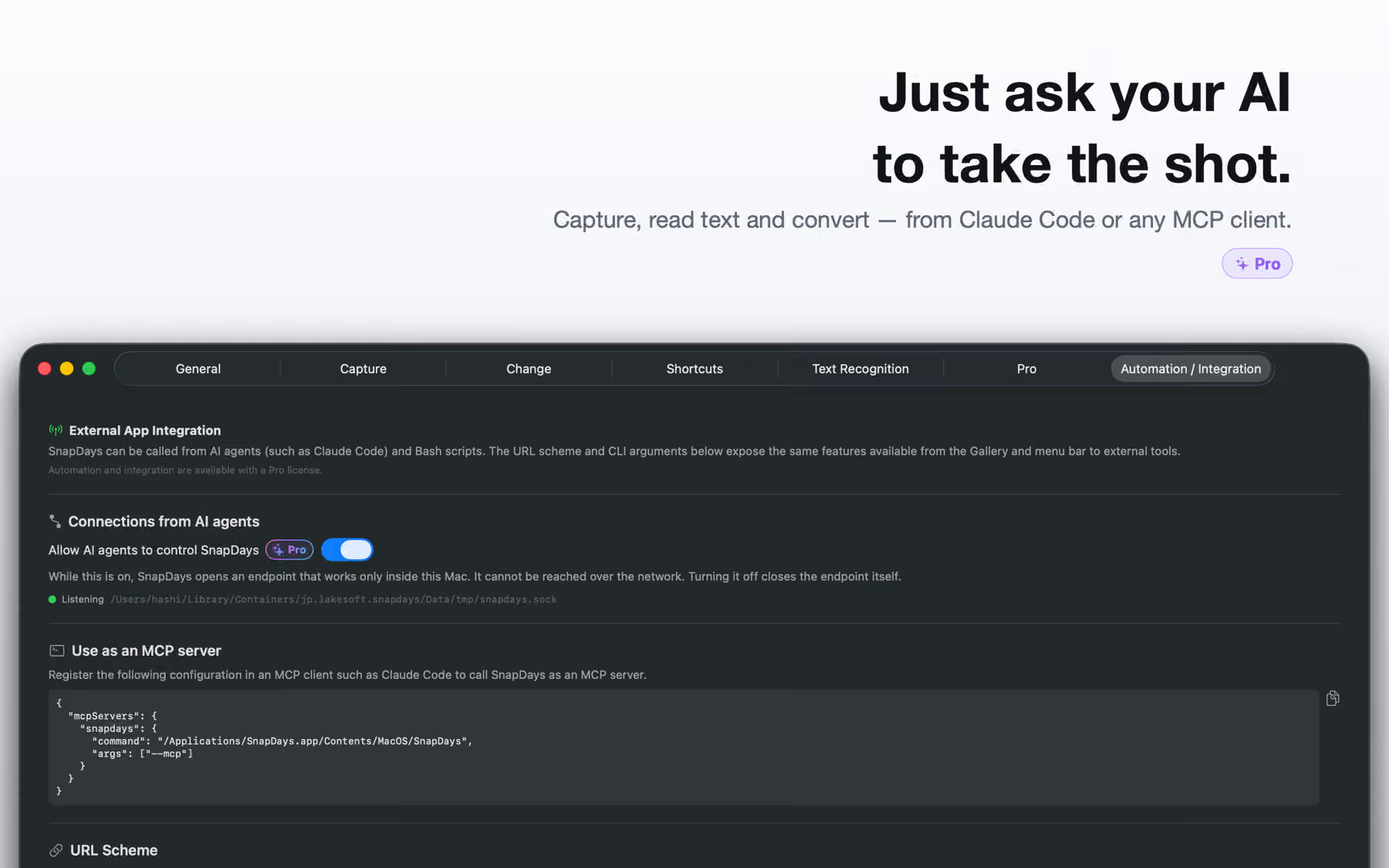
SnapDays speaks the Model Context Protocol, so Claude Code and other MCP clients can drive it for you — capture a region, window, screen or a whole scrolling page, list what you have, read the text inside an image, convert formats, rename and move files. Everything an agent can ask for is something you can already do by hand.
It stays closed until you switch it on in Settings ▸ Automation. While it is on, SnapDays listens on a socket inside its own sandbox container — never on a network port — and turning the switch off removes the socket again.
Pricing
Free features (capture, gallery, annotations, AVIF) are always free — no time limit.